
Challenge
Enterprise engineers struggle with inefficient
onboarding, limited resource tracking, and poor
cost visibility across projects due to a lack of
automation, shared infrastructure management,
and cross-project references.
onboarding, limited resource tracking, and poor
cost visibility across projects due to a lack of
automation, shared infrastructure management,
and cross-project references.


Heuristic Evaluation
Through a heuristic evaluation, I stepped into the users’ perspective to assess the Deployable Architecture( referred to as DA throughout this case study) onboarding and deployment experience. I mapped issues such as the lack of error validation for deployment failures and the many steps involved in onboarding a DA across the user journey to identify where friction built up and where automation could have the most impact.

The heuristic evaluation identified 19 usability issues and 6 bugs: 13 high priority (severity 3–4), 2 medium (severity 2), and 2 low (severity 0–1).
Validating the Problem with Amplitude data
To ground the design challenge in real user behavior, I tracked key product metrics in Amplitude (e.g., deployment funnel success rate and user drop-off points). This allowed me to move beyond assumptions and identify the most critical pain points in the existing platform.
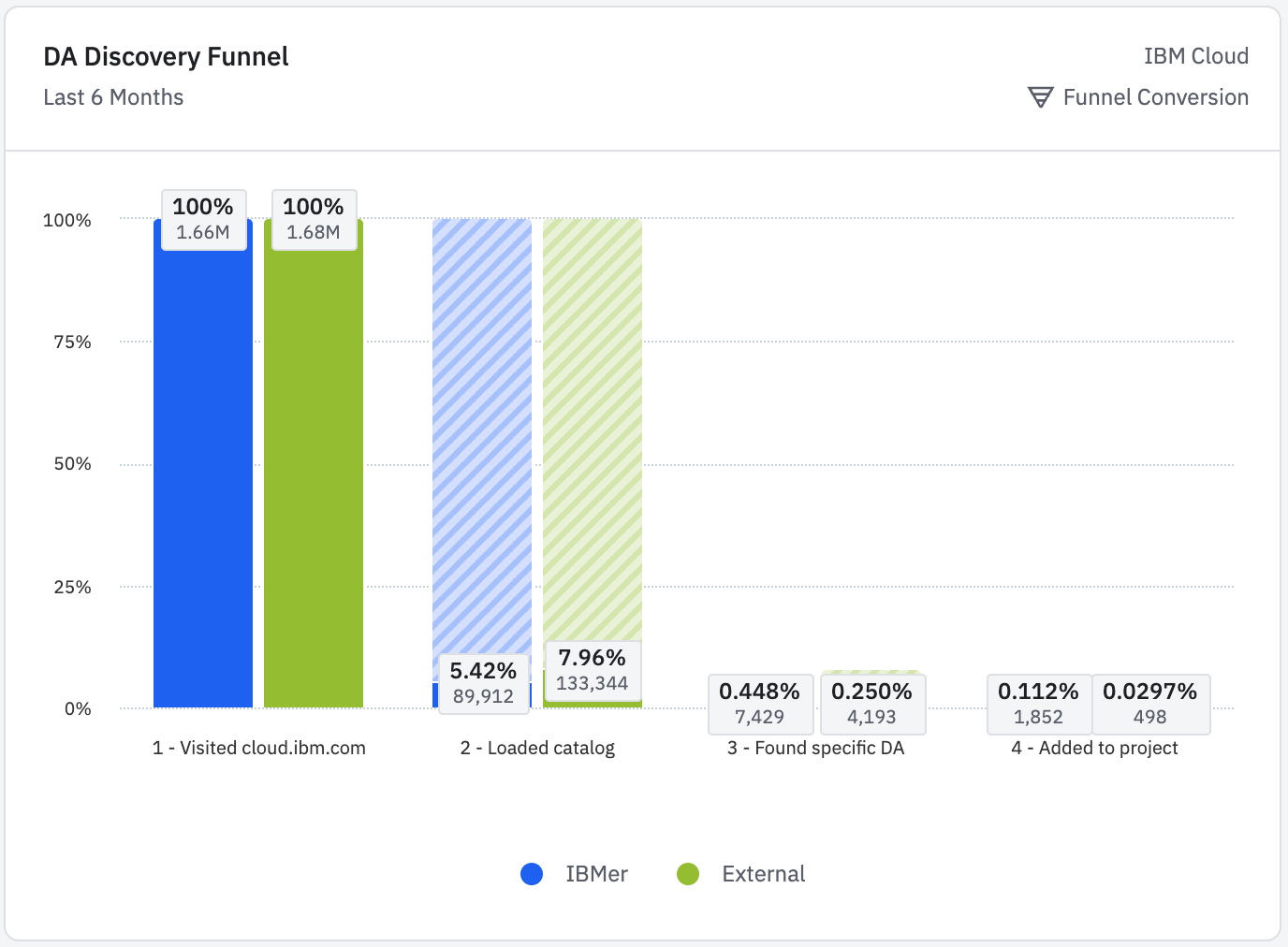
Significant drop-off between users visiting the catalog and finding a specific DA.
This validates that the information architecture and navigation are not working effectively, making it hard for users to find the tools they need.

Severe drop-off across every step.
Although all users start the flow, only 1.41% complete a DA deployment, showing the workflow is overly complex and unclear. This leads to low feature adoption and inefficient internal and external workflows.
Inefficient User Onboarding
The Total DA Deploys shows highly variable usage, with certain months having significantly lower activity.
Leading to irregular, inconsistent platform usage. Strengthening onboarding, in-app guidance, and value communication is essential to drive consistent adoption.

User Interviews & Pain Points
After interviewing the platform engineers - the insights validated and expanded on the Heuristic Evaluation findings. Combined with analysis from previous interviews, the key pain points identified included the following, among others:

Key pain points from all users
User Quotes
Engineers emphasized that " automating repetitive tasks through scripts, templates, or guided UIs reduces human error, simplifies onboarding, and enforces guardrails to manage cost and compliance."

Quotes from the interviews:
“It’s just more work… automation is like in my DNA. If things can be automated, I will automate it.”- Jill, DevSecOps Manager, Retail Supplier
"without automation, tasks are more error-prone, time-consuming, and difficult to scale". - Patrick, Platform Engineer, Dreadnought
“It’d be nice if… that failed deployment automatically created a change request instead of me having to manage timing windows.” - Greg, SRE for Cloud, Financial Institution
User Co-design Workshops
With a clear understanding of user pain points, we entered a divergent exploration phase involving our internal users. We brainstormed various approaches to simplify complex onboarding workflows, considering everything from guided wizards to AI-assisted automation and template customization workflows.

Mapping out the pain points along the user journey
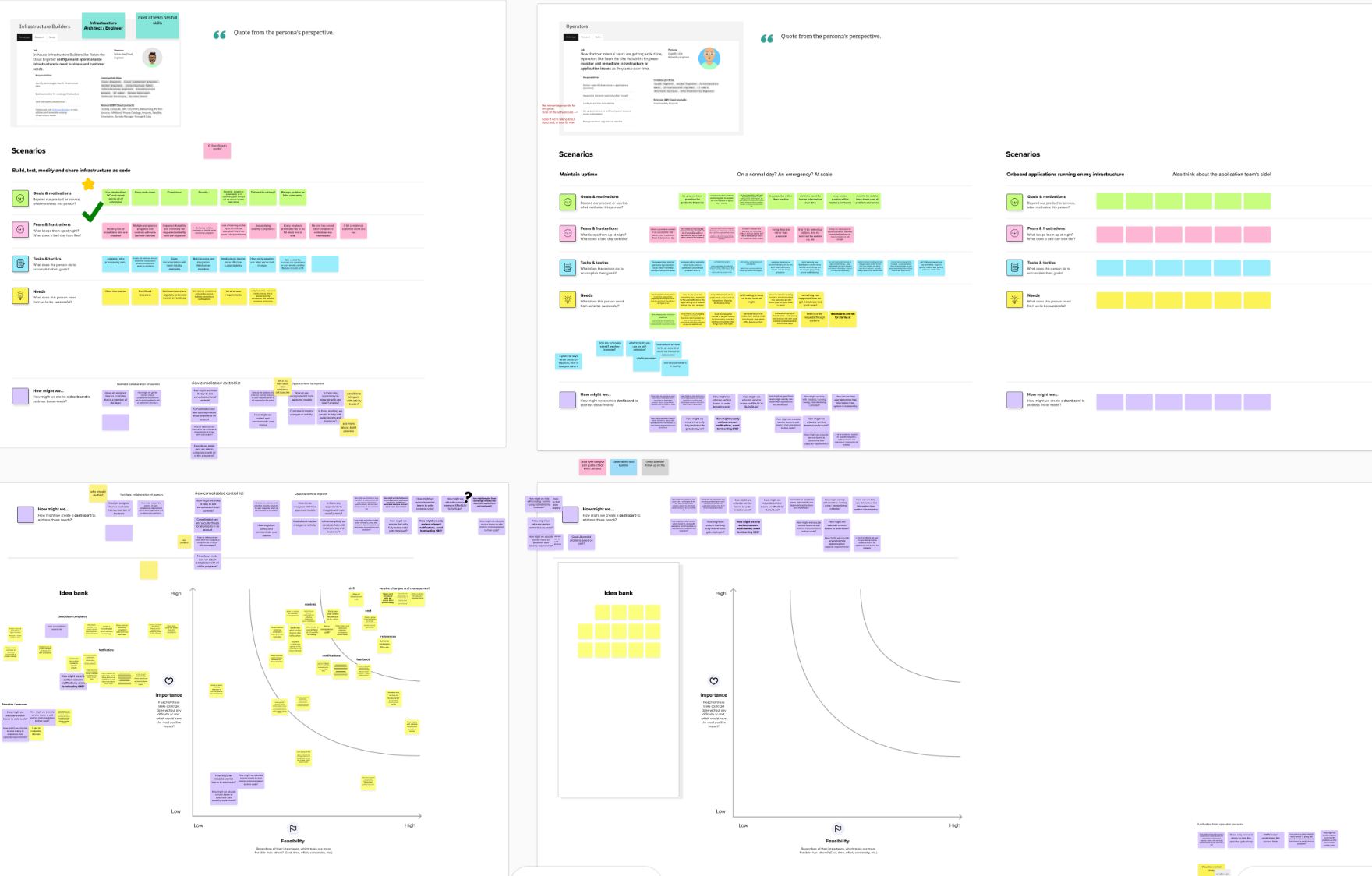
EDT workshop with IBM’s Dreadnought team (Internal users) to come up big ideas and prioritize them.
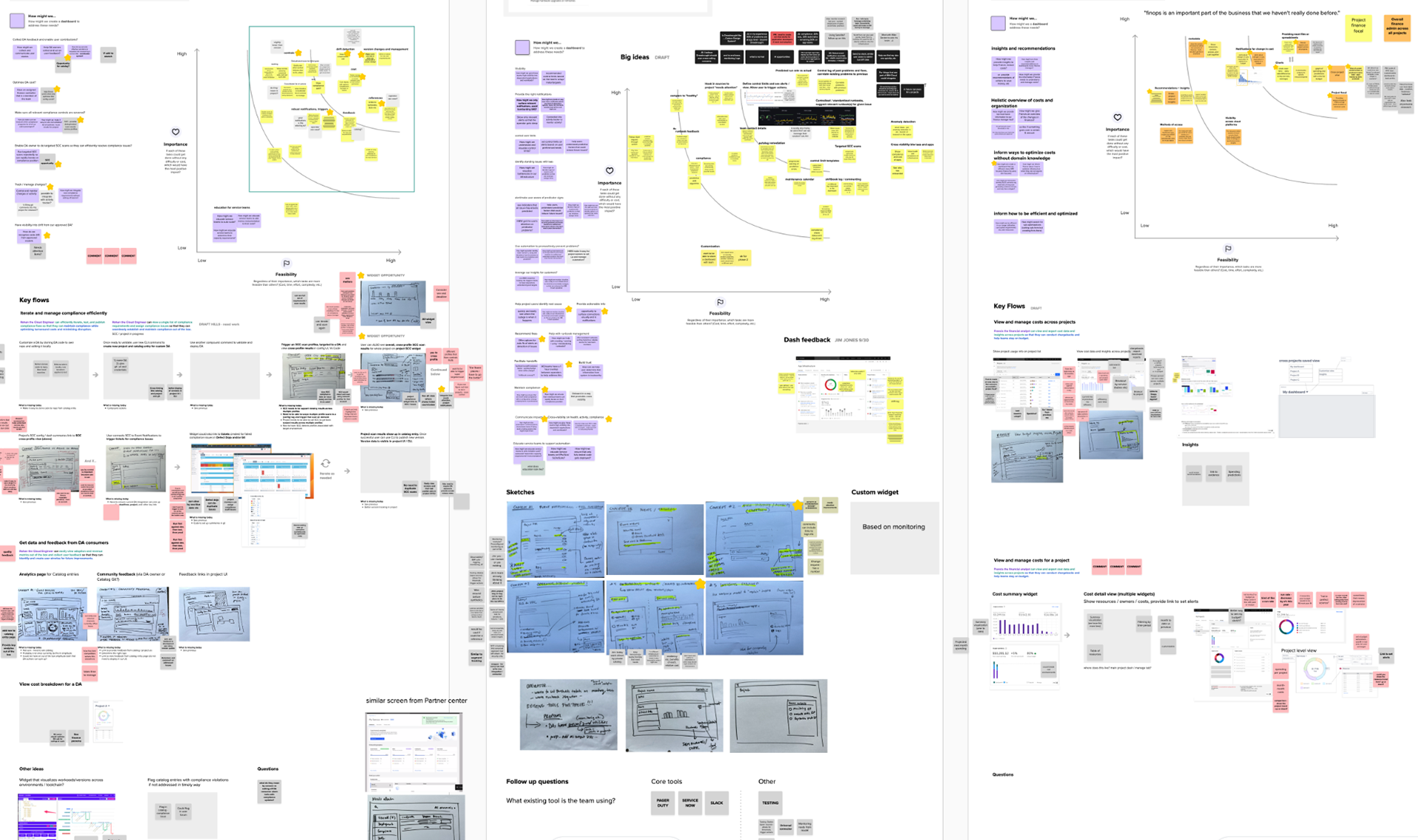
Working collaboratively with designers, PMs, solution architects, and engineers, we evaluated the user journey, assessed feasibility, and prioritized the most impactful ideas to move forward.
User Personas
Following stakeholder working sessions, we identified the most relevant personas for each phase of the user journey: Engage, Adopt, Scale, and Operate.
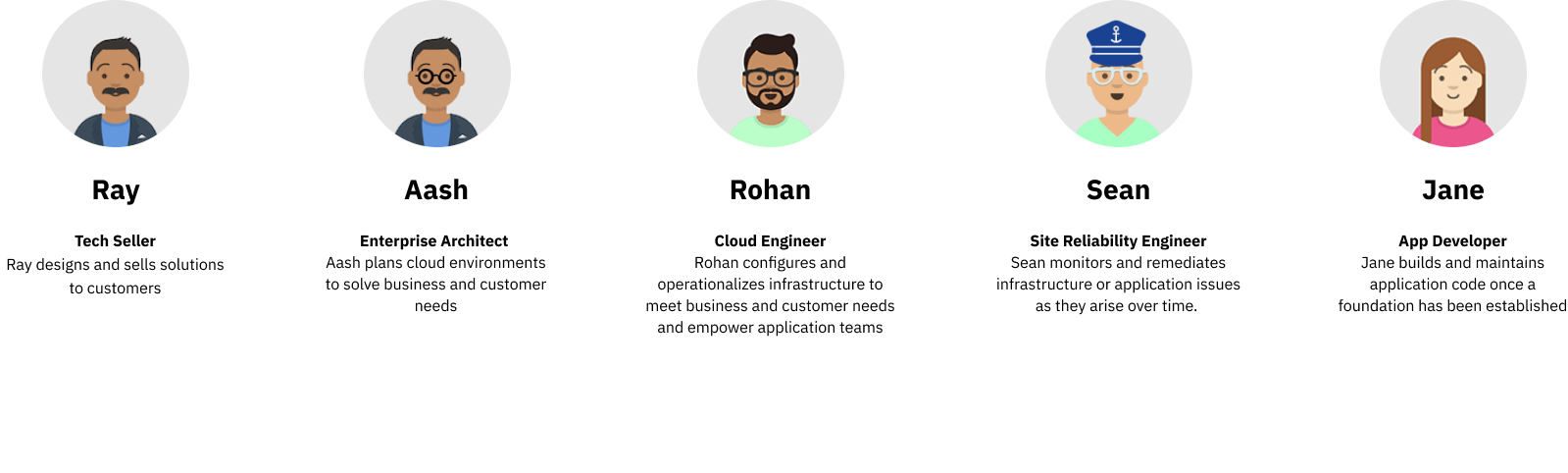
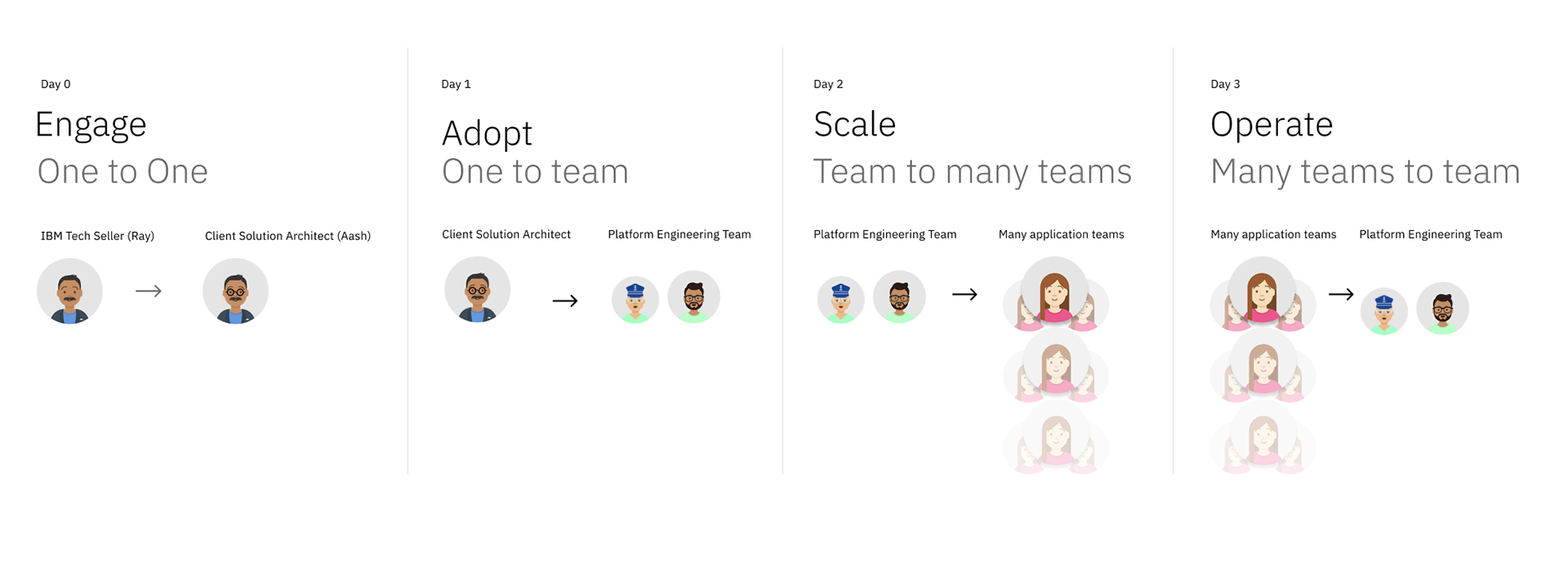
My focus was on the journey from Adopt through Scale to Operate, with the primary user persona being Rohan, the platform engineer. Rohan’s role is to build and maintain shared environments while supporting application teams with reliable infrastructure and seamless onboarding processes.

Low-Fidelity Prototypes to Address Pain Points
Our divergent exploration produced multiple low-fidelity concepts addressing key pain points like catalog filtering, code customization, and input grouping. We explored everything from in-context catalogs to visual architecture connections and code editing workflows.

Rohan can easily add or exclude products from catalog (In-context Catalog)
Pain point: Catalog UI does not enable users to efficiently select or exclude existing products to add to catalog, cannot see what catalog identically named items are from.

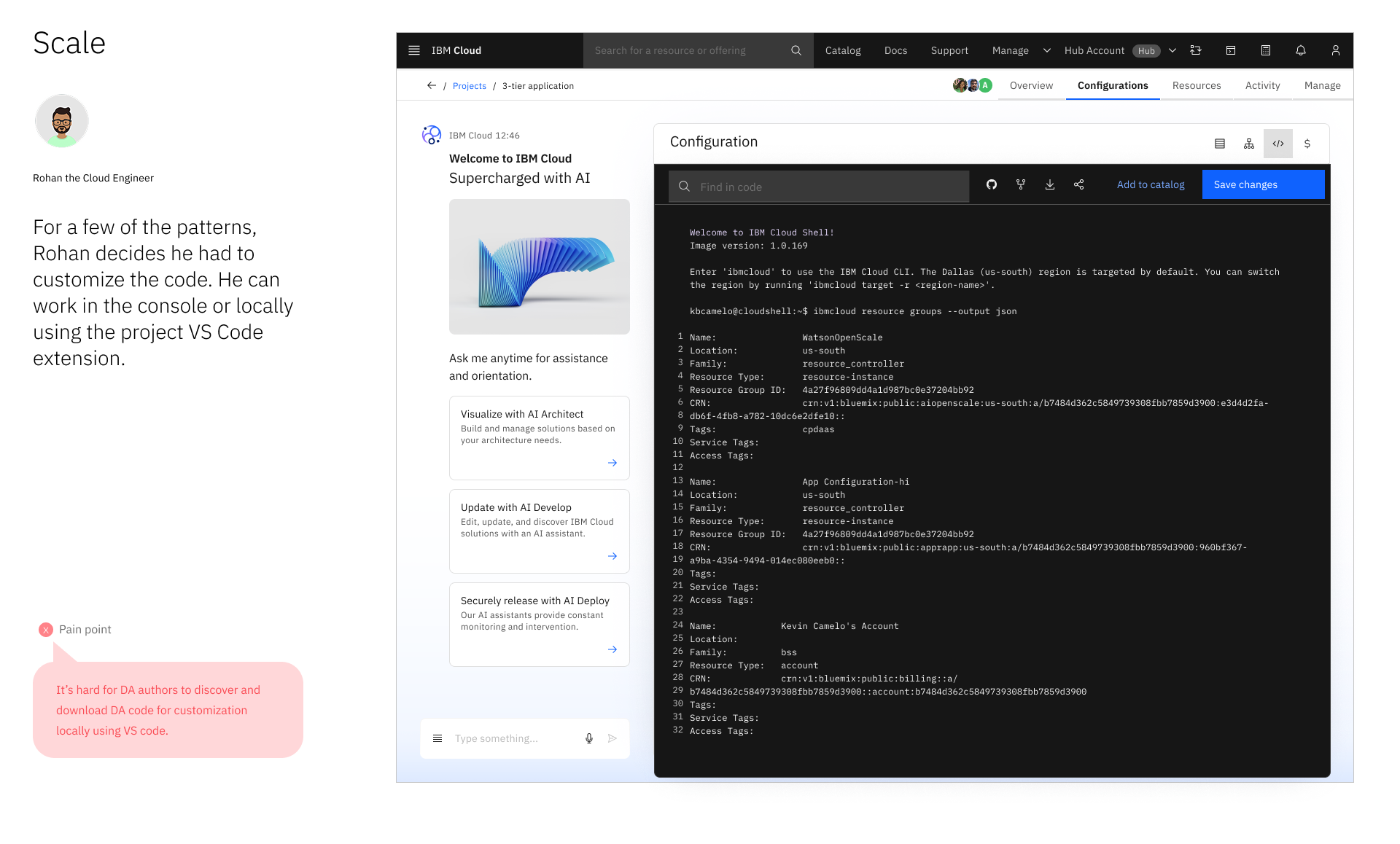
Rohan can easily download DA code bundle and customize the DA code locally using VS code.
Pain point: The Terraform source code was over-abstracted, making it hard for platform engineers to find, download, and customize modules locally—too many manual steps and not intuitive to work with.


Users can easily connect architectures within a configuration workspace and visualize the relationships between inputs and outputs.
Pain points: Projects lack flexibility for top-down workflows—engineers must build Terraform setups from scratch instead of extending existing ones.
Low-fi Prototype Test

" I like prefilled stuff like AI...''
One of the users particularly highlighted the specific needs for AI in development tools, capturing a sentiment shared by others: they want AI to act as a supportive copilot that accelerates work without undermining their authority. The user expressed enthusiasm for AI-generated templates, noting it's "faster than doing it from scratch," but immediately followed with the critical caveat, "I need to double check."
This reveals the core user requirement: AI must serve as a force multiplier that handles the initial heavy lifting, while providing complete transparency and final control to the engineer, who remains the ultimate expert and decision-maker.
Highlighted User Insights
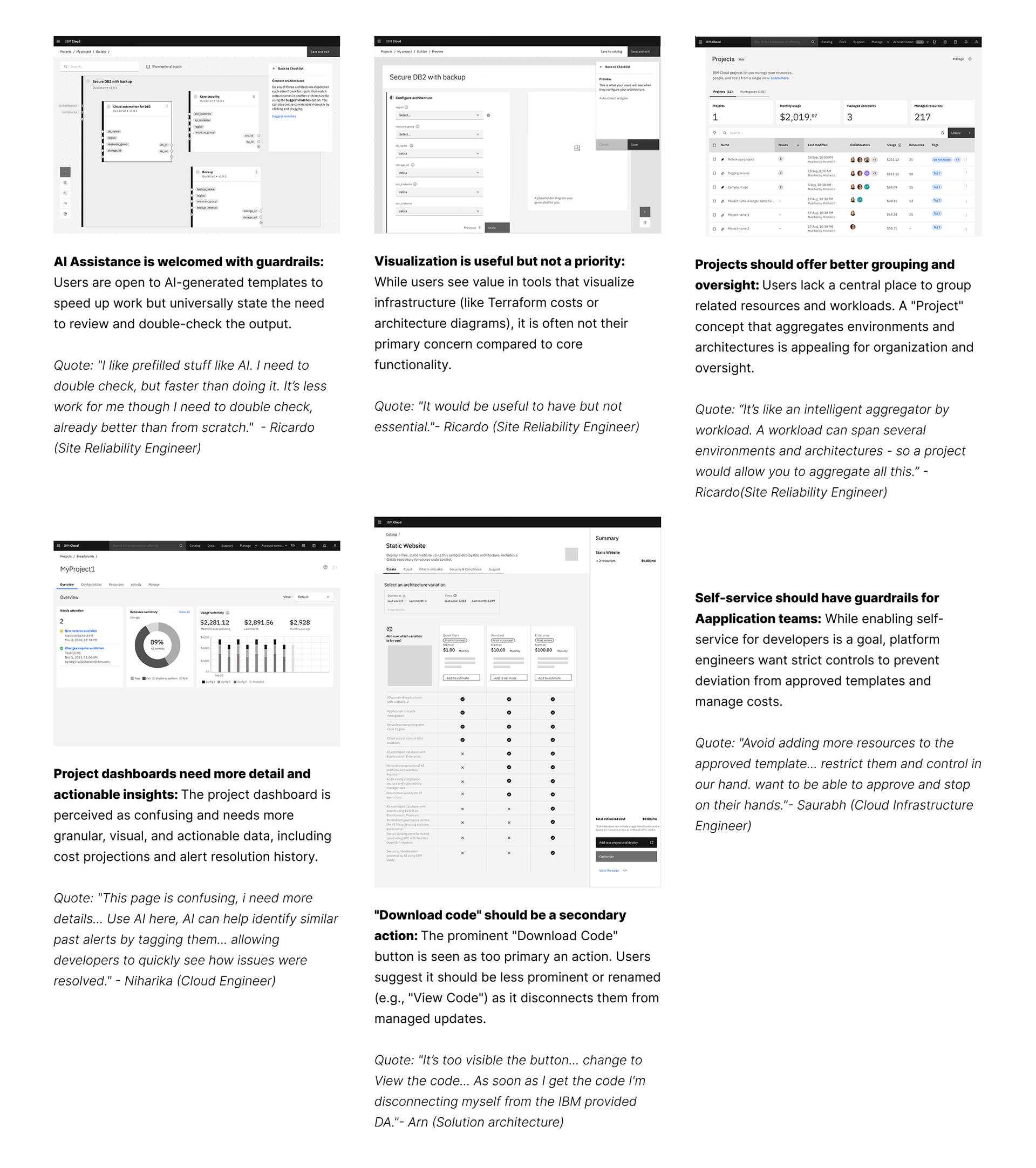
Through user testing, we converged on solutions that streamlined onboarding for platform engineers. This included an in-context catalog for faster setup and AI assistance that generated templates but required engineer approval, ensuring both speed and control.

High-Fi Prototype
(Converge on High-Impact solutions)
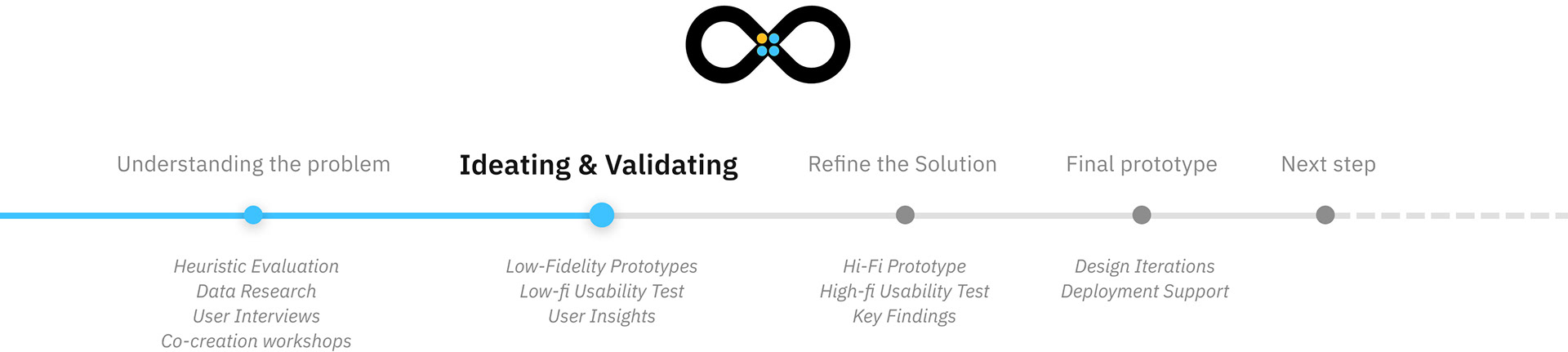
The work followed the Enterprise Design Thinking Loop—diverging with low-fidelity concepts to explore problems, then converging on high-impact opportunities through hi-fidelity validation. This confirmed continued investment value and highlighted the need to simplify and modernize infrastructure lifecycle management.


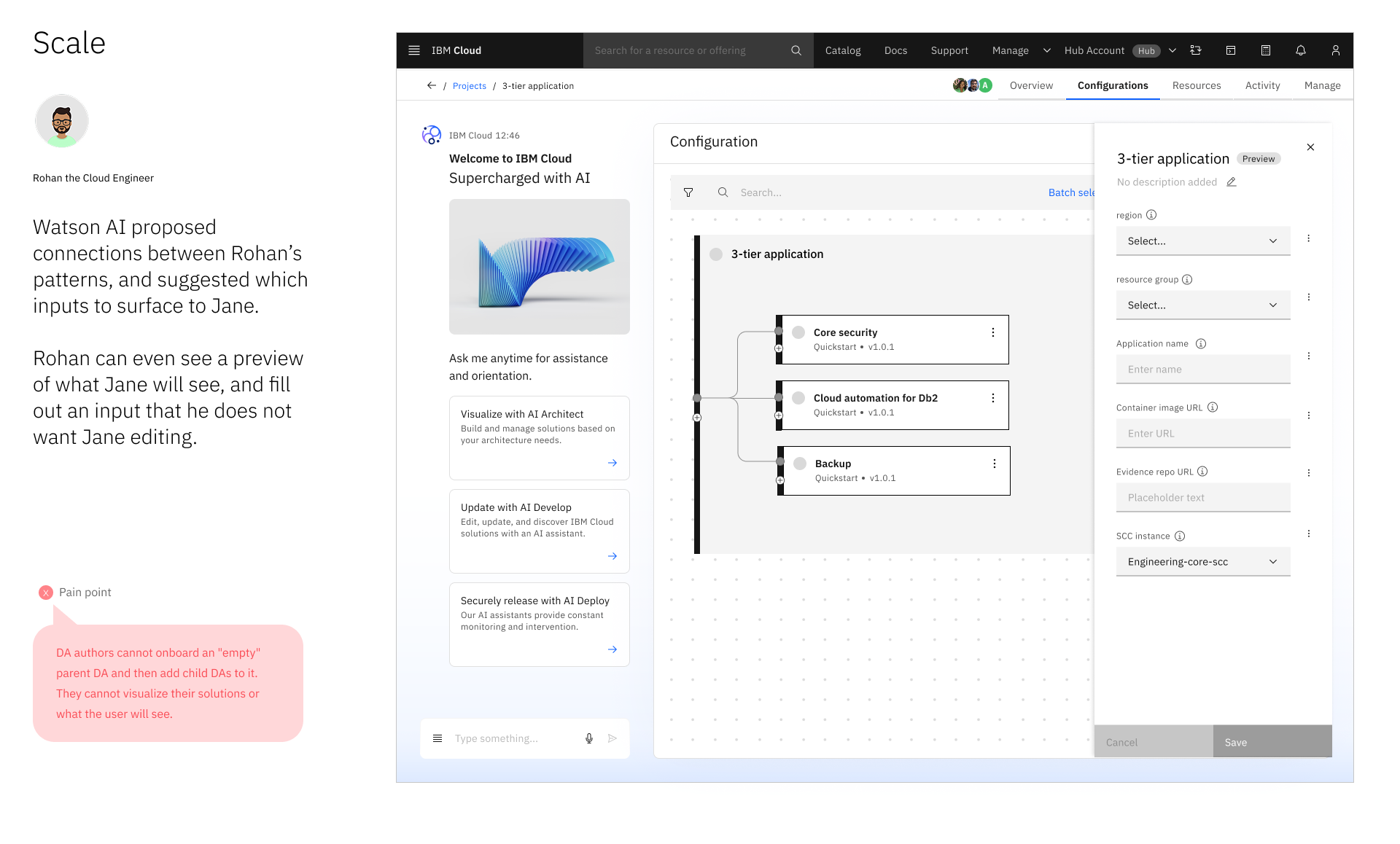
Example high-fi screens with addressed pain points
Usability Testing
I led a team of two UX designers and one content designer, facilitating stakeholder feedback sessions to align cross-functional perspectives. I also managed usability test recruitment and moderated user sessions, gathering actionable insights to guide design decisions and enhance the platform experience.
Testing Methodology
- Format: Conducted 7 moderated, one-on-one usability testing sessions.
- Participants: Cloud Architects, Cloud Engineers, Senior Devops Engineer, Software Developers
- Prototype: A high-fidelity, interactive prototype built in Figma
Test Key Tasks
Users were asked to navigate the prototype and articulate any frustrations or challenges encountered while completing tasks.
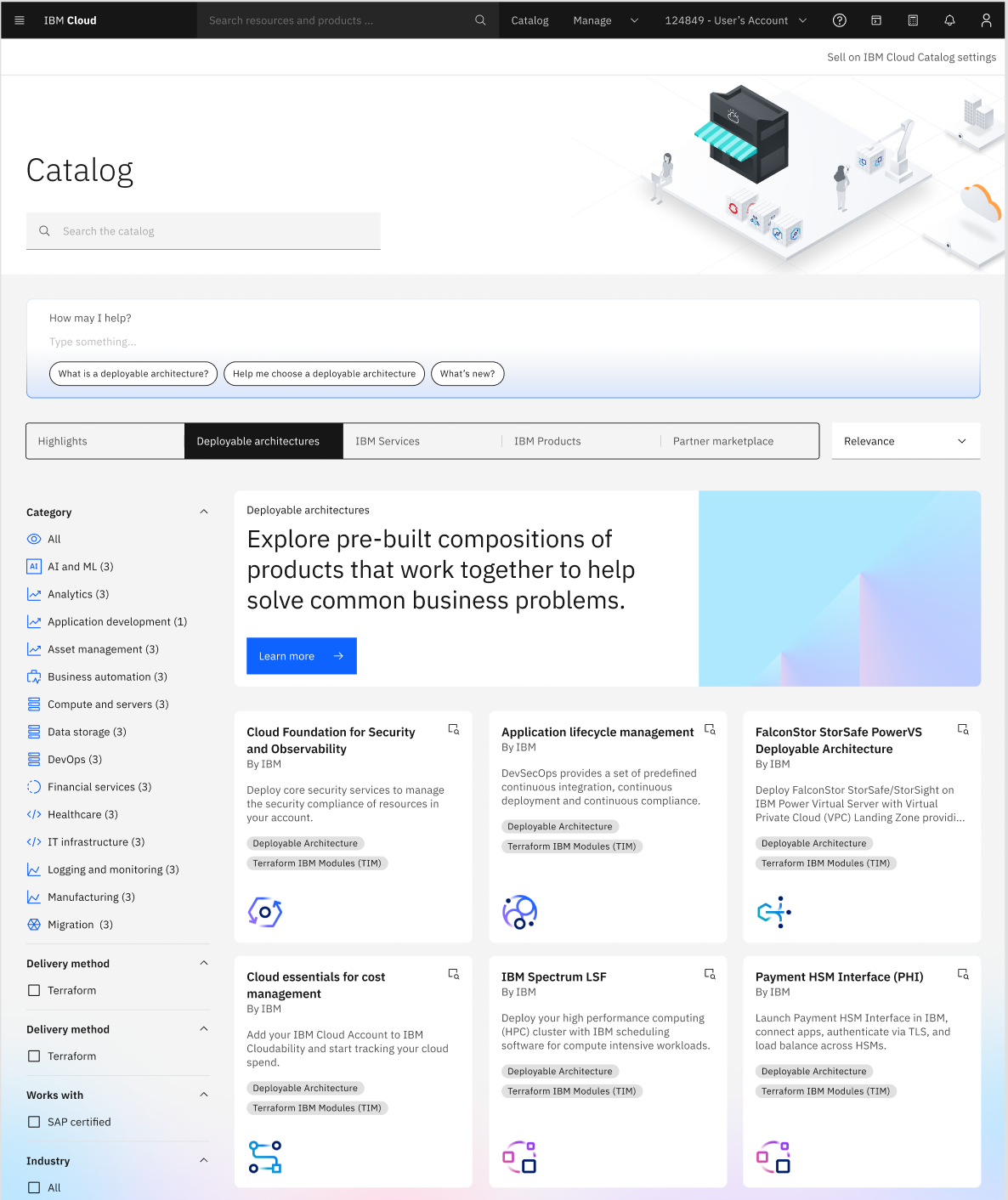
Task 1. IBM Catalog- As a new IBM Cloud customer, deploy an application using a Deployable Architecture (DA) and identify the supporting solution or service.

Task 2. Configuration flow- Deploy a containerized application with monitoring and security, review the concepts, and configure the solution to meet these goals.

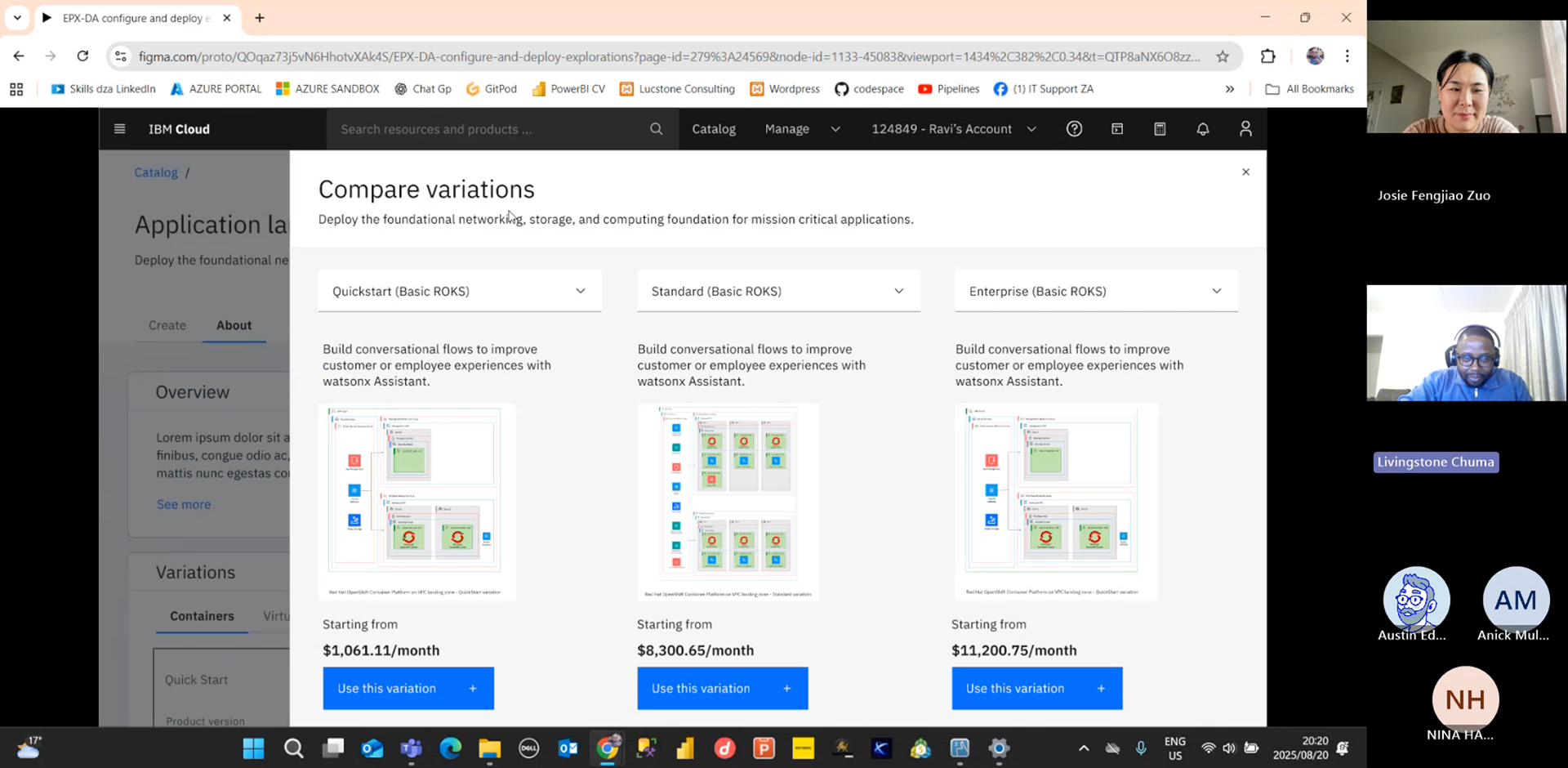
Task 3. Catalog- Compare variations
Explore different variations of this Deployable Architecture (DA), compare two alternatives to your chosen option, note similarities and differences, and incorporate one into your project.
Key Findings & Design Iterations
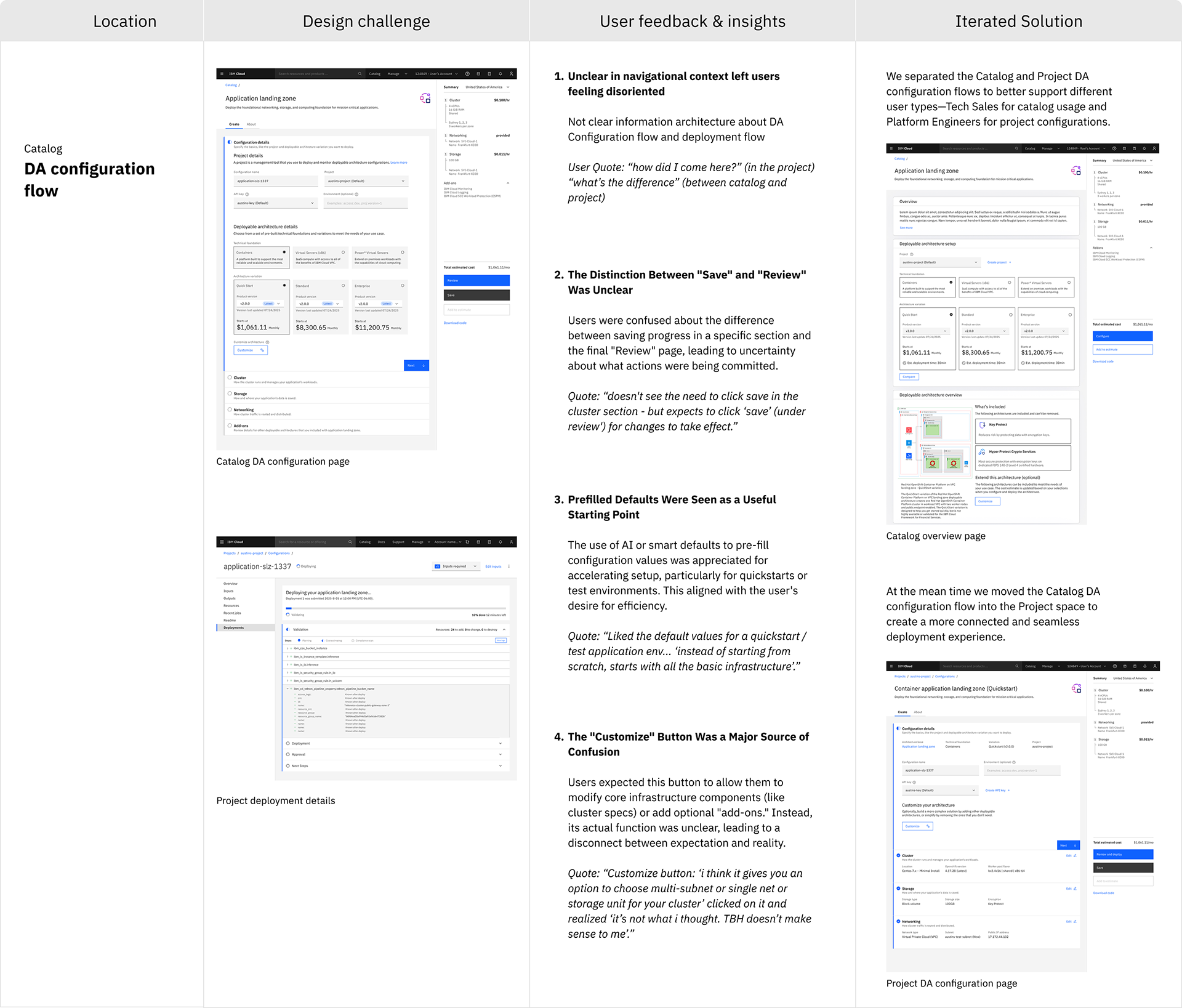
The usability test highlighted key areas for improvement, including catalog overview details, project information architecture, customization of architectures in the configuration flow, and other related areas affecting overall usability.

Final Prototype
The validated concepts were brought to life in a high-fidelity prototype that demonstrates the end-to-end workflow for a platform engineer.
This video walkthrough shows how Rohan can efficiently discover, configure, and govern cloud architectures, directly addressing the core pain points of inefficient onboarding, scattered resource tracking, and lack of centralized oversight.
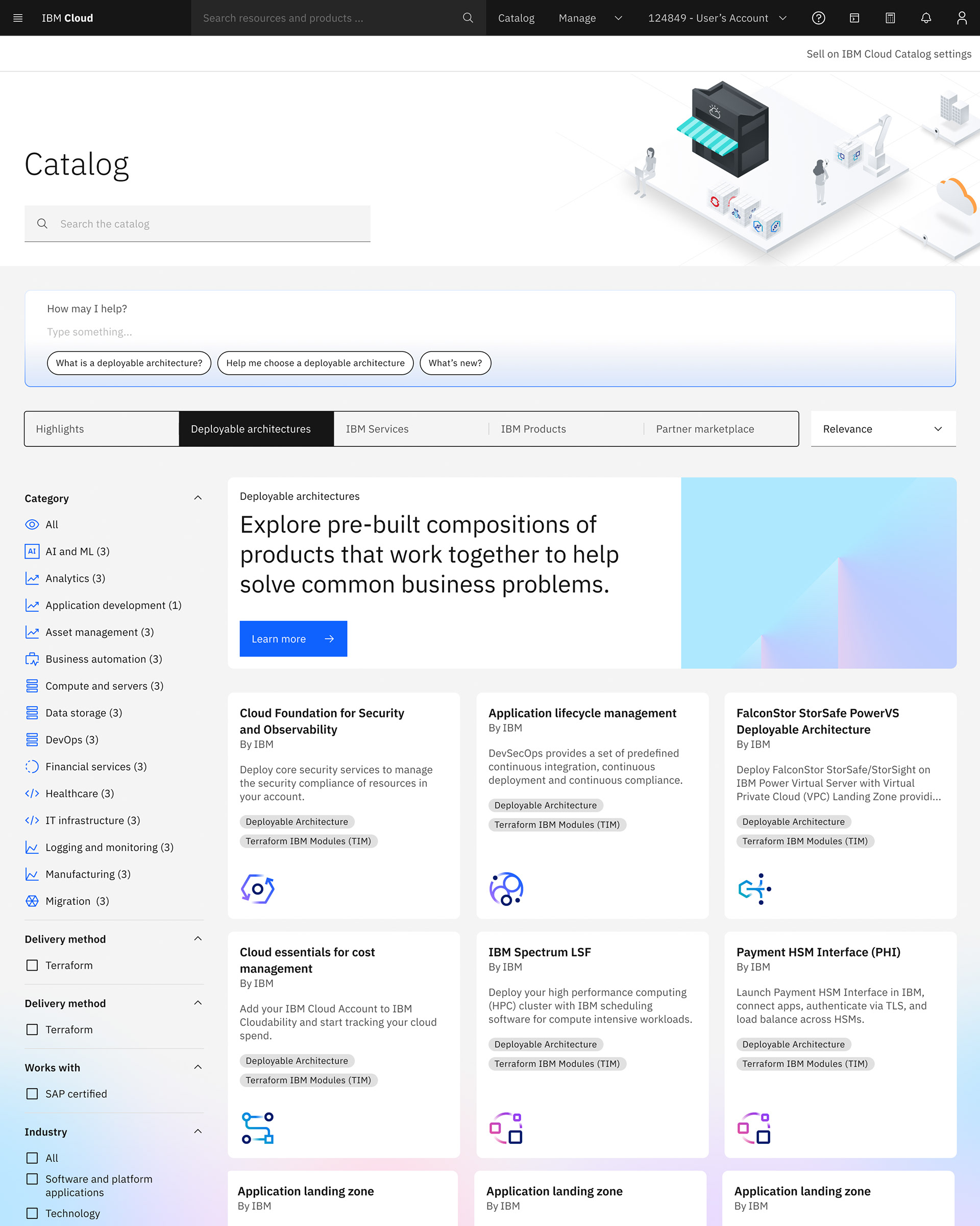
IBM Catalog

Compare variations

Product overview
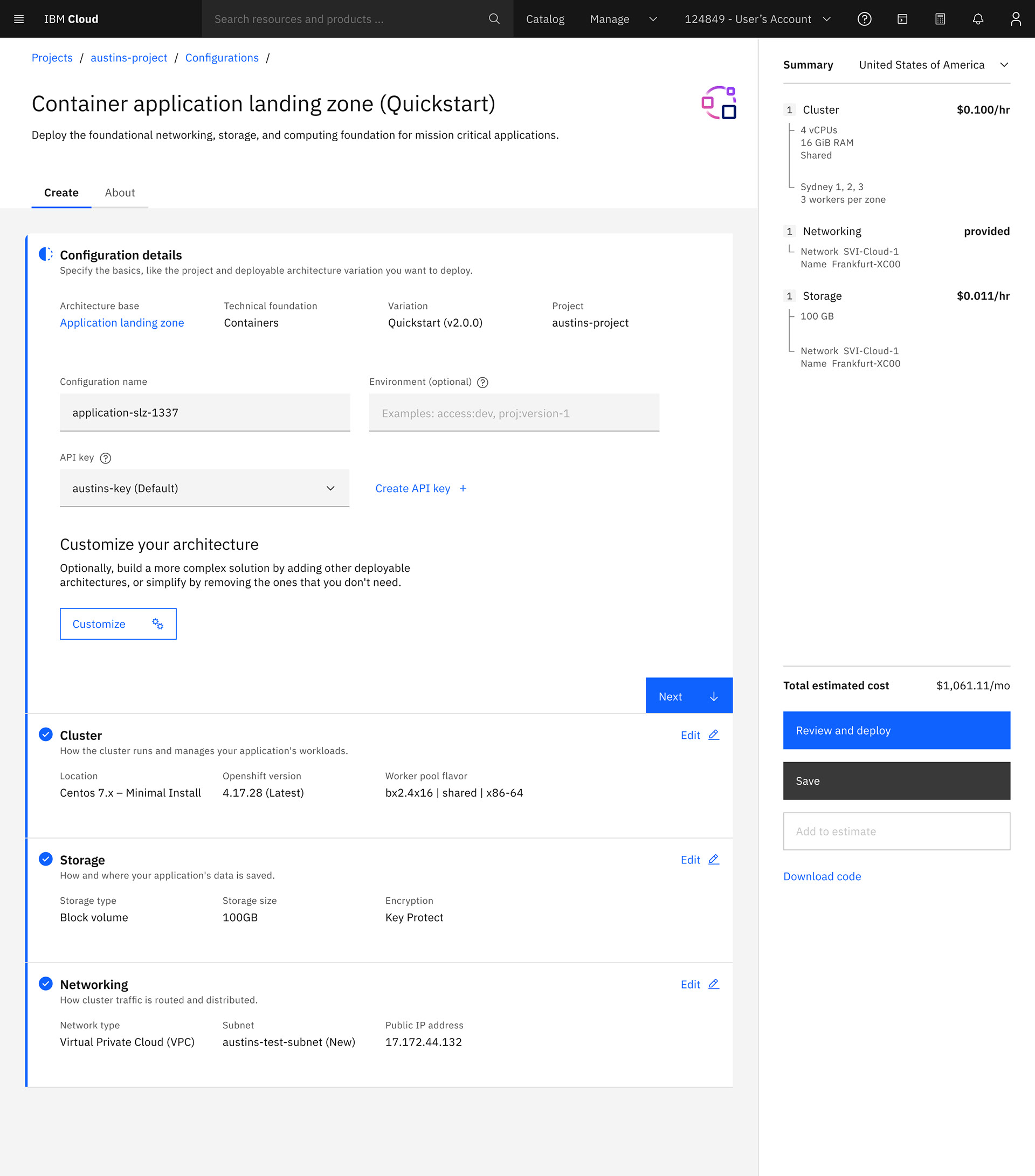
DA Configuration flow- step 1

DA Configuration flow- step 2
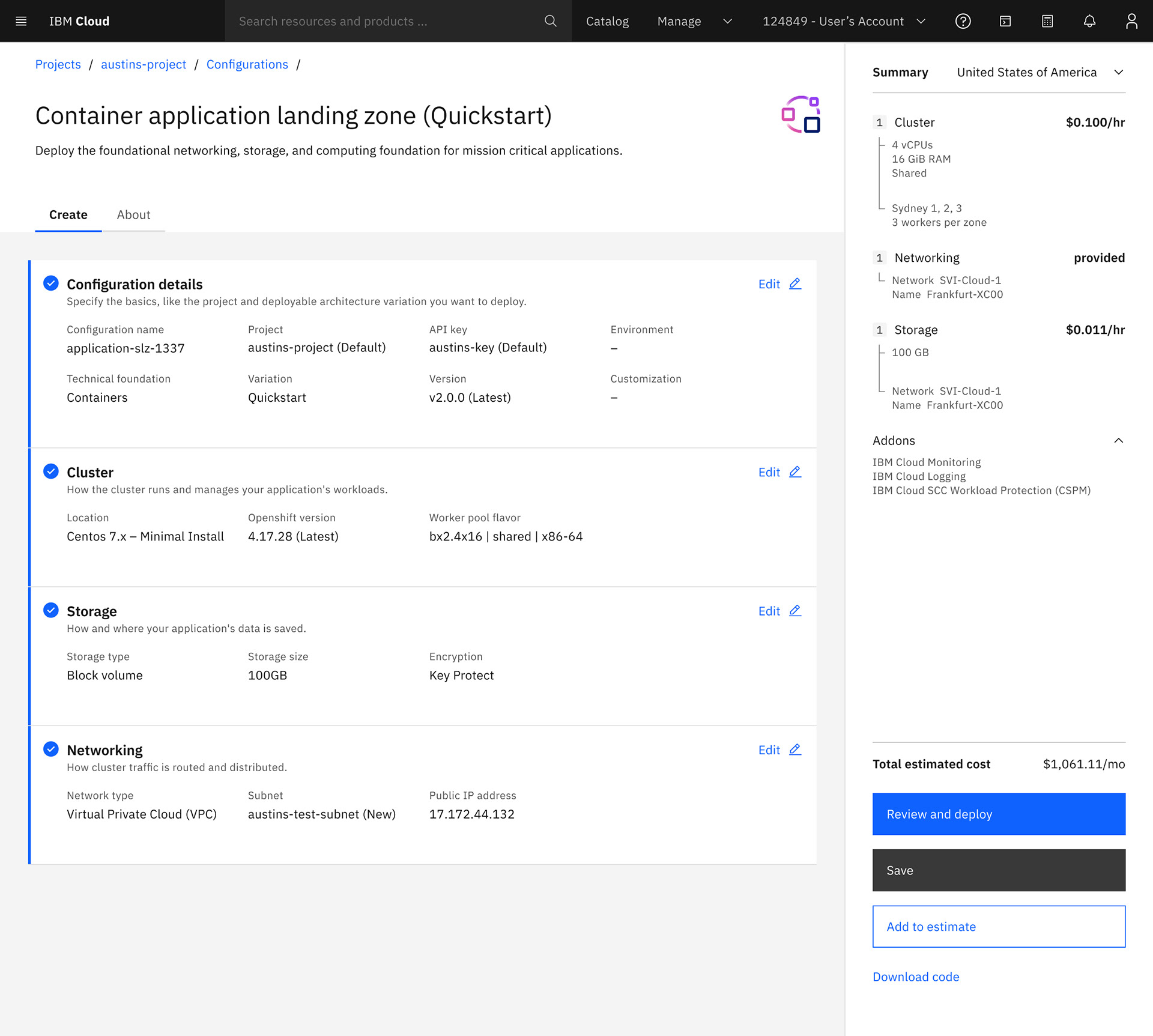
DA Configuration flow preview

DA Configuration flow review

Deployment overview

Deployment details
Key Improvements Demonstrated in the Prototype:
- Guided Onboarding: An intelligent, in-context catalog with prefilled configuration details significantly reduces the steps and complexity required to deploy a new architecture.
- Smart Catalog Review: Users can quickly view solution details at a glance, enabling informed decision-making before committing to a configuration.
- Variation Comparison Panel: Side-by-side comparison of architecture variations helps users make faster and more confident choices.
- Integrated Configuration Flow: Exposing projects before architecture configuration and integrating IBM Catalog with Projects reduces unexpected environment switches, creating a smoother deployment journey.
- Clear Call-to-Actions: Each step features explicit CTAs, minimizing user confusion throughout the deployment process.
- Flexible Architecture Expansion: Users can easily add additional architectures to an existing setup and receive price estimates before finalizing configuration.
- Prefilled Configuration: Users can review prefilled settings and deploy immediately, or customize inputs as needed, streamlining the workflow while maintaining control.
Deployment Support
I partnered closely with developers, translating high-impact designs into feasible solutions, providing clear design guidance and interactive prototypes to ensure alignment with user needs and technical constraints, while streamlining implementation and reducing iteration cycles.

Next step - Integrating AI for Smarter Configuration

IBM Bob + IBM Cloud
The next phase of this project focuses on exploring how AI could enhance the overall user experience. By integrating intelligent assistance into the workflow, the goal is to help users make decisions faster, reduce cognitive load, and uncover insights more intuitively.
Outcome and Strategic Impact
This project successfully demonstrated how a user-centered design approach can streamline a complex technical process. The final framework significantly improved the clarity and efficiency of the configuration workflow, reducing cognitive load for users and accelerating deployment readiness.
The architecture was intentionally designed to be forward-compatible. The exploration of AI integration confirms that this foundation is well-positioned to support future capabilities in intelligent automation, a logical and valuable next step for the platform.